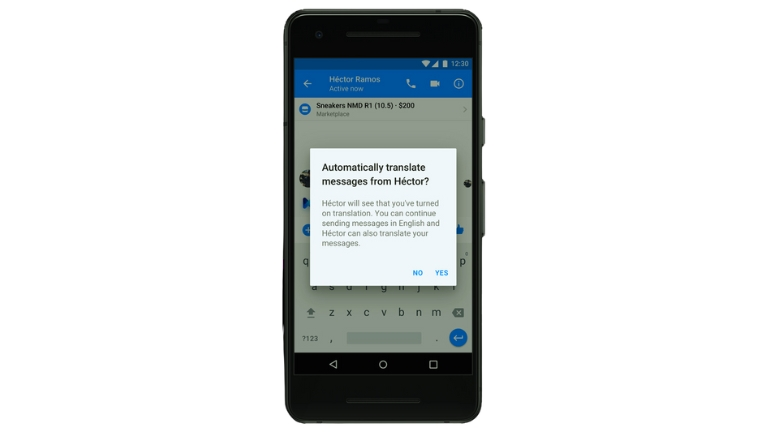
Facebook Messenger helps people talk to each other from different countries. But sometimes, people speak different languages and can’t understand each other.
That’s where automatic translation in Facebook Messenger comes in. It helps translate messages so that people can talk even if they don’t speak the same language.
In this article, we will learn more about automatic translation in Facebook Messenger and how it helps us communicate better.
What is Automatic Translation?
Automatic translation is when a computer helps translate words from one language to another. It’s like having a special helper who can understand different languages and tell you what someone is saying.
Why is Automatic Translation Important?
Automatic translation is important because it helps us talk to people who speak different languages. It makes it easier for us to understand each other and have conversations, even if we don’t know the same language.
How Facebook Messenger Translates Messages
When you send a message on Facebook Messenger, the app can automatically translate it into the language the other person understands. It uses special technology to figure out what the words mean and how to say them in a different language.
Benefits of Automatic Translation in Facebook Messenger
Helping People Understand Each Other
Automatic translation helps people understand each other better. Even if you speak a different language, you can still have a conversation and share your thoughts and feelings.
Making New Friends
With automatic translation, you can make friends from different countries. You can talk to them and learn about their lives and cultures. It’s like traveling and meeting new people without leaving your home.
Learning About Different Cultures
Automatic translation allows you to learn about different cultures and traditions. You can ask questions and get answers from people who live in other parts of the world. It’s like having a window to the world.
Challenges of Automatic Translation
Automatic translation is not perfect. Sometimes, it may make mistakes or not understand the meaning of certain words or phrases. It’s important to be patient and try to understand the general idea of the message.
Keeping Messages Private and Secure
Facebook Messenger takes privacy and security seriously. Your messages are kept private, and the automatic translation process does not store your conversations for a long time. You can feel safe while using this feature.
What the Future Holds for Automatic Translation
In the future, automatic translation will continue to improve. It will become even better at understanding languages and translating accurately. This means that communication between people who speak different languages will become easier and more natural.
Conclusion
Automatic translation in Facebook Messenger is a helpful feature that allows us to communicate with people who speak different languages. It helps us understand each other, make new friends, and learn about different cultures. As technology advances, automatic translation will only get better, making the world a more connected and inclusive place.