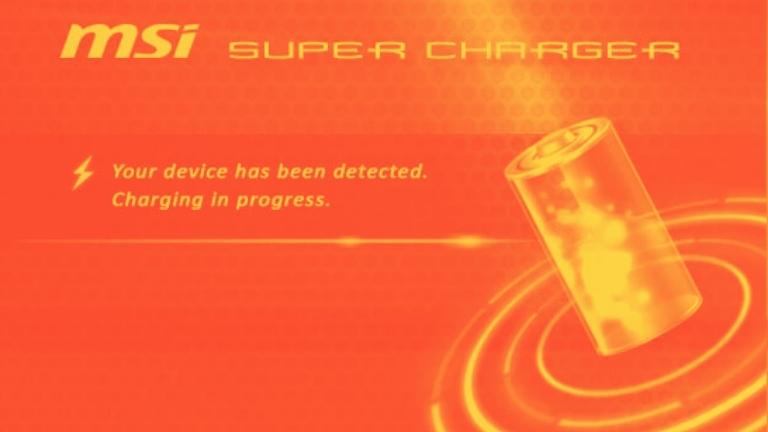
MSI Super Charger is a software utility that is intended to accelerate the charging process of electronic devices.
It is specifically designed to operate with MSI motherboards and laptops and offers a rapid charging solution for USB devices such as smartphones and tablets.
This article will examine the characteristics, advantages, and disadvantages of the MSI Super Charger, as well as how to install and use it.
What is MSI Super Charger and How Does it Work?
MSI Super Charger is a software tool that is available for free with MSI motherboards and laptops.
This software enables faster charging of USB devices like smartphones, tablets, and other electronic gadgets by providing a higher current output.
With the help of the MSI Super Charger, the charging time of USB devices can be reduced up to three times faster than traditional USB charging.
The software functions by detecting the USB device that is connected to the MSI motherboard or laptop and adjusting the current output automatically to enable faster charging.
As a result, the charging time of your electronic device can be significantly reduced, which means that you can use it for longer periods without having to worry about battery life.
Benefits of Using MSI Super Charger
The benefits of using MSI Super Charger are numerous, including:
Faster Charging Times
As previously mentioned, MSI Super Charger can charge USB devices up to 3 times faster than traditional USB charging.
This means that you can spend less time charging your device and more time using it.
Automatic Detection and Adjustment
With MSI Super Charger, you don’t have to manually adjust the charging settings for each device.
The software can automatically detect the connected USB device and adjust the current output accordingly to provide faster charging.
This makes the charging process more convenient and efficient for the user.
Overcurrent Protection
MSI Super Charger also offers overcurrent protection to ensure that your USB devices are protected from damage due to overcharging.
This is an important feature that helps to prolong the lifespan of your devices and prevent potential safety hazards.
Compatible with Multiple Devices
MSI Super Charger is compatible with a wide range of USB devices, including smartphones, tablets, and other electronic gadgets, making it a versatile tool for charging multiple devices at once.
Drawbacks of Using MSI Super Charger
There are a few drawbacks to using MSI Super Charger, including:
Requires MSI Motherboard or Laptop
One drawback of the MSI Super Charger is that it is only compatible with MSI motherboards and laptops. This means that if you do not have an MSI device, you cannot use the software for faster charging.
Limited to USB 2.0 Ports
One of the disadvantages of the MSI Super Charger is that it is only compatible with USB 2.0 ports. If your MSI motherboard or laptop has only USB 3.0 or higher ports, you cannot use the software to take advantage of faster charging.
Compatibility Issues with Some Devices
While MSI Super Charger is compatible with a variety of USB devices, there may be some compatibility issues with certain devices.
If you encounter any issues with charging a specific device, you may need to use an alternative software or charging method.
How to Install and Use MSI Super Charger
To install MSI Super Charger, follow these steps:
- Visit the MSI website and download the latest version of the MSI Super Charger that is compatible with your MSI motherboard or laptop.
- Once the download is complete, double-click on the installation file to start the installation process.
- Follow the on-screen instructions to complete the installation process. Make sure to read and accept the terms and conditions.
- Once the installation is complete, restart your computer to activate the MSI Super Charger software.
- After the computer has restarted, connect your USB device to the USB port on your MSI motherboard or laptop.
- The MSI Super Charger software will automatically detect the device and adjust the current output to provide faster charging. The charging status can be viewed in the MSI Super Charger application.
- To stop charging, simply unplug the USB device from the port.
Note: Make sure that you have an MSI motherboard or laptop with a USB 2.0 port before installing MSI Super Charger.
To use MSI Super Charger, follow these steps:
- Connect your USB device to a USB 2.0 port on your MSI motherboard or laptop.
- Wait for MSI Super Charger to automatically detect the connected device.
- MSI Super Charger will adjust the current output to provide faster charging. You can monitor the charging status on the software interface.
- Once the device is fully charged, disconnect it from the USB port.
Note: If you encounter any issues with charging a particular device, you may need to try a different USB port or use a different charging method.
Conclusion
In conclusion, MSI Super Charger is a useful software utility for MSI motherboard and laptop owners.
Its automatic detection and adjustment features, along with its overcurrent protection and compatibility with multiple devices, make it a valuable tool for anyone looking to charge their USB devices quickly and efficiently.
While it may have some limitations, it remains a great option for those who want to optimize their charging experience.